How AI motion graphics tools work
- Input. A prompt, a script, data (CSV), brand assets, or a product page.
- Generation. The tool lays out scenes, type and motion, usually as editable layers or code rather than flat video.
- Refinement. You edit by prompt, by dragging layers, or on a timeline, depending on the tool.
- Export. Video (MP4, MOV), GIF, or animation formats like Lottie for apps and websites.
Clips or a finished video?
The most useful question before choosing a tool. If you need one animated chart for a deck or a logo sting, an animation generator is faster and cheaper. If you need a launch video or product video, you'd otherwise have to write a script, generate many clips, record a voiceover, find music and edit it all together. A video maker does the whole chain.
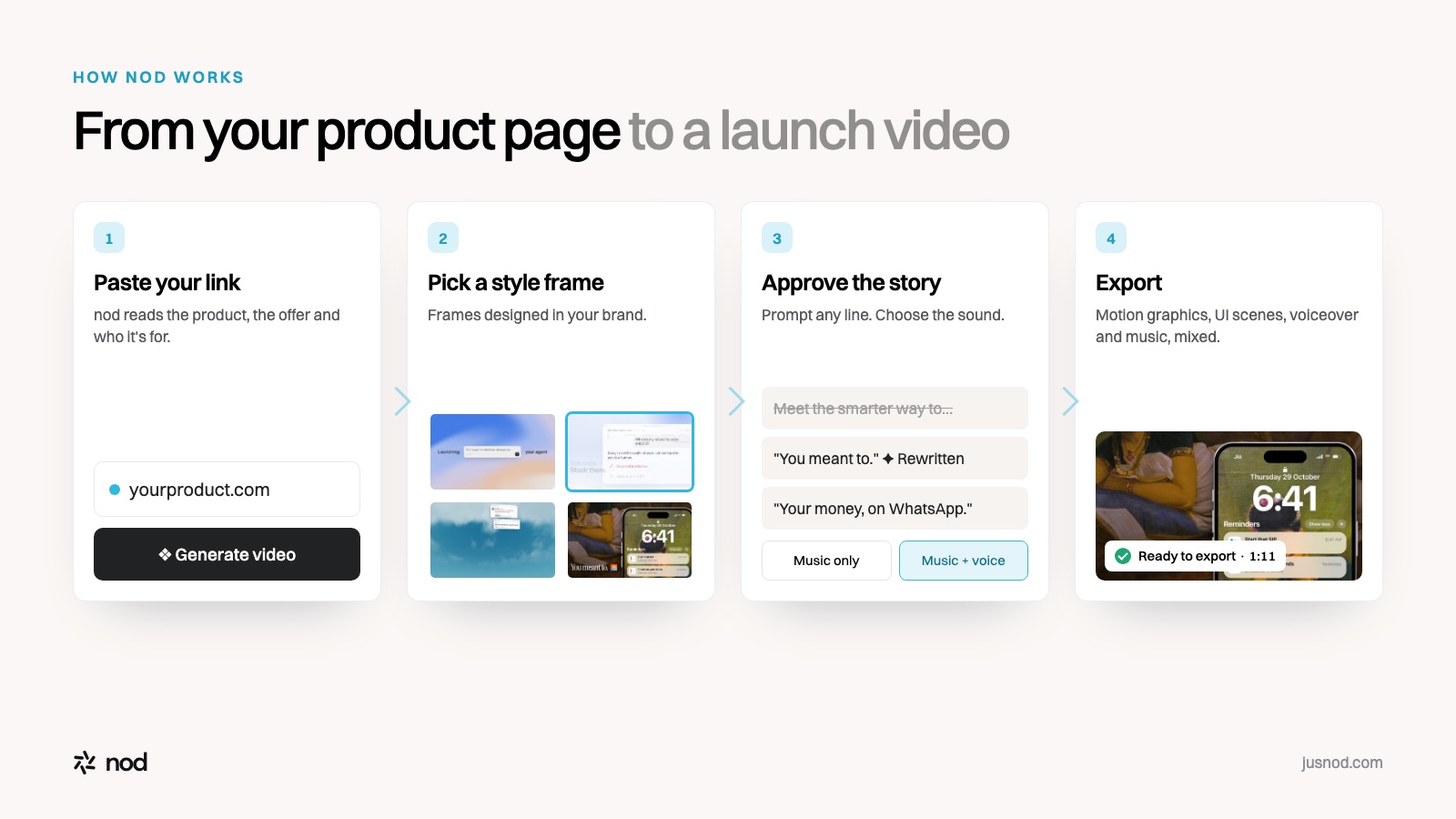
What makes product motion graphics look designed
- Real UI, redesigned for motion. Simplified interface components that move clearly, instead of raw screen recordings.
- Two-tone captions. Short lines with one emphasised phrase read fast with the sound off.
- One idea per scene. Each beat shows one feature or claim.
- Brand-consistent style frames chosen before animation starts, so every scene matches.
See these principles in practice in the launch video examples and the scene-by-scene breakdown of a real launch film.